
Chime® – Fee-Free Banking
ChimeFinance
4.7245.55K Reviews
- Version
- 5.352.0
- Installs
- 10.00M
- Age Rating
- Everyone
Screenshots
Our Review of Chime® – Fee-Free Banking
 Analysis by Appyee
If you’re anything like me, managing your finances can sometimes feel like trying to juggle flaming torches. That’s why I was pretty curious to dive into Chime – Mobile Banking and see if it could help ease the chaos. Spoiler alert: it’s like a breath of fresh air.
Easy Peasy Setup
Let’s talk about the setup process first. Getting started with Chime – Mobile Banking is as simple as pie. You download the app, sign up with a few personal details, and boom, you’re in. What I really appreciated was how smooth and intuitive the whole process felt. No need to jump through hoops or decipher complicated banking jargon. Chime makes it straightforward, which is a big win if you ask me.
Features That Shine
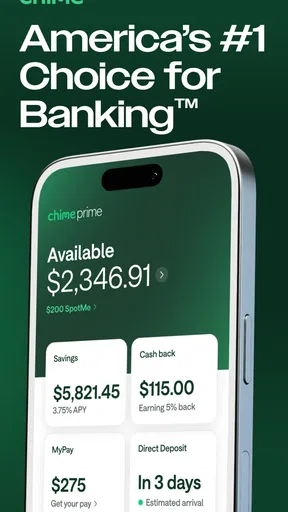
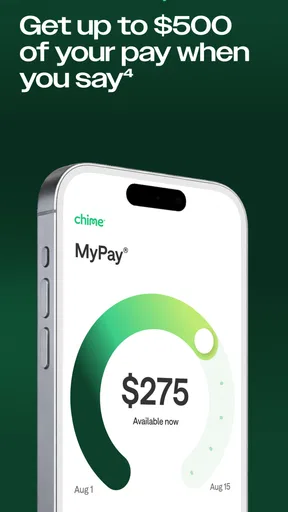
Now, onto the good stuff. Chime offers a bunch of features that are, quite frankly, game-changers. First off, there’s no fee nonsense. Yup, you heard me right. No hidden charges lurking in the shadows. Plus, you get your paycheck up to two days early with direct deposit. If that doesn’t make you want to do a little happy dance, I don’t know what will.
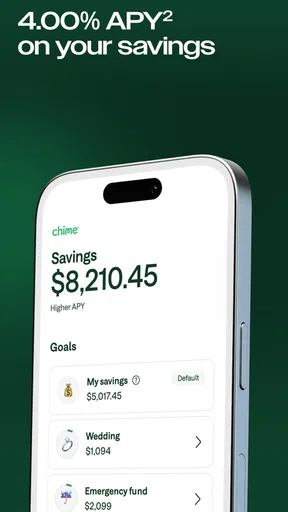
Another nifty feature is the automatic savings. Every time you spend, Chime rounds up the transaction and stashes the spare change into your savings. It’s like having a tiny financial advisor in your pocket, ensuring you’re saving without even thinking about it.
Security and Support
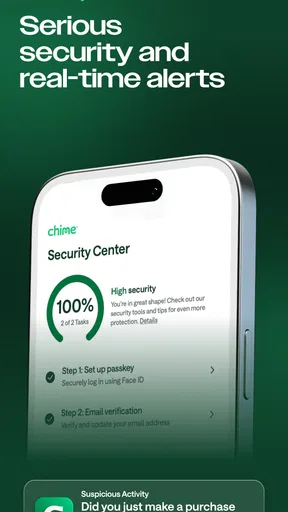
Of course, with all things money-related, security is key. Chime doesn’t disappoint here. The app uses encryption to keep your data safe and sound. Plus, if you ever lose your card, you can easily disable transactions in the app until you find it or order a replacement. It’s little things like this that give you peace of mind.
If you ever hit a snag or have a question, Chime’s customer service is just a tap away. They’re pretty responsive and genuinely helpful, which is nice when you’re in a pinch.
A Few Quirks
Now, no app is perfect, right? While Chime is fantastic, it doesn’t support joint accounts yet. Also, you might miss having a physical branch to visit if that’s something you’re used to. But honestly, with all the features available at your fingertips, I didn’t find it too much of a dealbreaker.
All in all, Chime – Mobile Banking is a solid choice if you’re looking for a hassle-free banking experience. It’s perfect for those who want to keep things simple and modern. So give it a whirl and see if it fits your financial style. You might just find yourself wondering how you ever managed without it!
Privacy and Permissions
See what permissions an app requests and how it handles your data.
- Identity
- read your own contact card
- Contacts
- read your contacts
- Location
- approximate location (network-based), precise location (GPS and network-based)
- Photos/Media/Files
- read the contents of your USB storage, modify or delete the contents of your USB storage
- Storage
- read the contents of your USB storage, modify or delete the contents of your USB storage
- Camera
- take pictures and videos
- Microphone
- record audio
- Wi-Fi connection information
- view Wi-Fi connections
- Other
- view network connections, pair with Bluetooth devices, change network connectivity, connect and disconnect from Wi-Fi, control flashlight, full network access, change your audio settings, control Near Field Communication, run at startup, control vibration, prevent device from sleeping
Verdict
Strengths of Chime® – Fee-Free Banking
- No monthly fees, easy on your wallet.
- Early direct deposit, get paid faster.
- Automatic savings, boosts financial health.
- User-friendly interface, simple navigation.
- Fee-free overdraft up to $200, very handy.
Limitations of Chime® – Fee-Free Banking
- No physical branches, fully virtual.
- Limited cash deposit options, inconvenient.
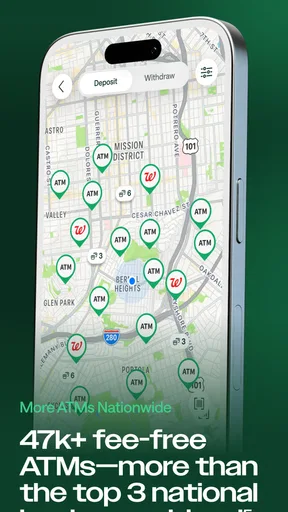
- ATM fees outside network, adds costs.
- No joint accounts, limits shared banking.
- Limited financial products, lacks variety.
Similar Picks in This Category
View All
Google Wallet
Google LLC4.3

Airtel: Recharge, Bank & Loans
Airtel4.0

PayPal - Pay, Send, Save
PayPal Mobile4.2

DANA Indonesia Digital Wallet
PT Espay Debit Indonesia Koe4.5

Binance: Buy Bitcoin & Crypto
Binance Inc.4.8

Cash App
Block, Inc.4.7
Frequently Asked Questions
What is Chime, and how does it work?
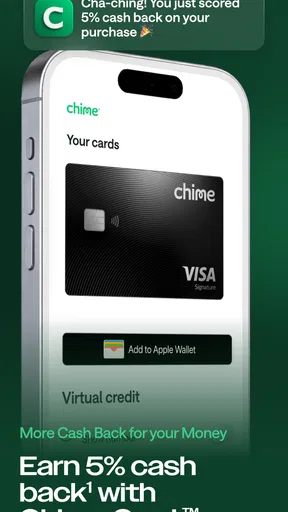
Chime is a mobile banking app that offers users a modern and convenient way to manage their finances. It provides features like fee-free checking accounts, savings accounts with automatic savings options, and a Visa debit card. Users can track their spending, set savings goals, and receive real-time transaction alerts all from their smartphone.
Are there any hidden fees or charges with Chime?
Chime is known for its fee-free banking model. There are no monthly maintenance fees, overdraft fees, or minimum balance requirements. However, users should be aware of potential out-of-network ATM fees and third-party service charges, which are not controlled by Chime. Always review the terms to understand fully any applicable fees.
How secure is my money with Chime?
Chime employs industry-standard security measures to protect your funds and personal information. This includes encryption, two-factor authentication, and FDIC insurance on deposits up to $250,000 through its banking partners. Users can also instantly block their card if it's lost or stolen, adding an extra layer of security.
Can I deposit cash into my Chime account?
Yes, you can deposit cash into your Chime account. This can be done at over 90,000 retail locations using the Green Dot network. While the process is straightforward, it's important to note that there may be a fee charged by the retailer for cash deposits, as these are not regulated by Chime.
How does Chime handle customer support?
Chime offers multiple channels for customer support, including a comprehensive help center, email support, and a customer service phone line. The app also contains a chat feature for quick queries. Users report prompt and helpful responses, making customer support a strong point for Chime.
